Laptops for a ₹50,000 Budget: A Practical 2026 Buying Guide
A practical laptop shortlist for students and everyday coding. Check memory, configurations, upgrade options, and the final checkout price before you choose.

A practical buying guide
Buying a laptop for study or coding? Start with your workload, then check the exact configuration and final price.
For a ₹50,000 budget, aim for a useful balance: enough memory, an SSD, a screen you can read comfortably, and support you can access.
As an Amazon Associate, we earn from qualifying purchases at no additional cost to you. Retailer links open in a new tab.
The shortlist at a glance
Six configurations to investigate. These are not confirmed current deals under ₹50,000: several earlier prices exceeded the budget. Only proceed if the exact variant fits your final checkout limit.


A closer look at each option
Names can cover several variants. These notes describe the catalog configuration; confirm it matches the retailer listing.
Study & office work
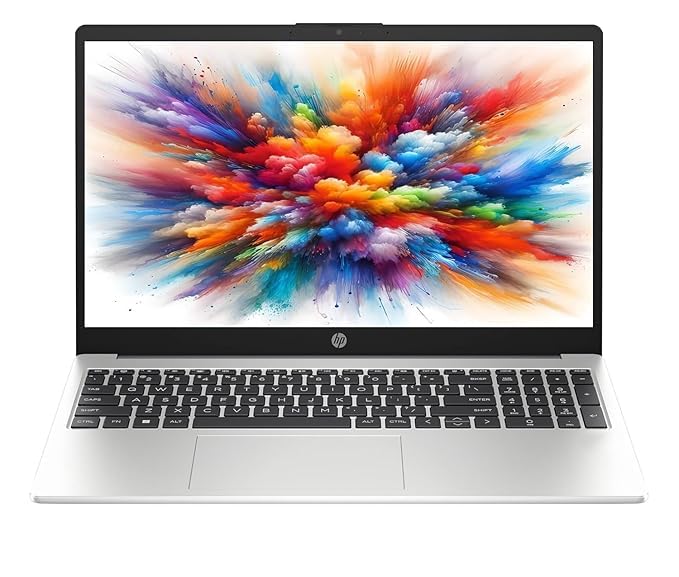
HP 250R G10
Core 3 100U / Confirm RAM · 512GB SSD
A starting point for documents, browser-based study, and everyday coding.
Before you choose: Confirm installed RAM and the exact screen specification. Business branding alone does not establish build quality or local service coverage.
Check on AmazonAffiliate link · Confirm current price and exact variant
Everyday multitasking
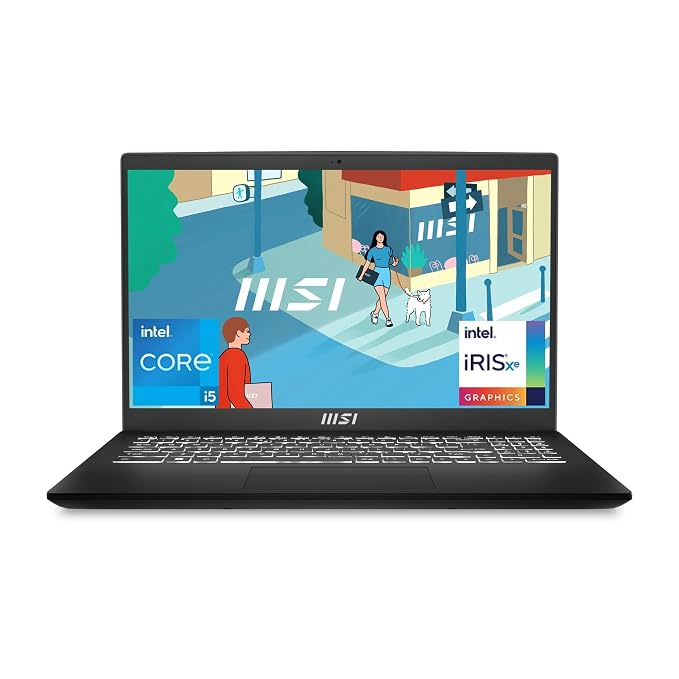
MSI Modern 15
Core i5-1335U / 16GB RAM · 512GB SSD
Consider this configuration for an editor, browser, and office apps running together.
Before you choose: The earlier recorded price exceeded ₹50,000. Check the final total and do not count a bank offer unless you qualify for it.
Check on AmazonAffiliate link · Confirm current price and exact variant
A smaller screen
Dell Inspiron 5440
Core 3 100U / Confirm RAM · 512GB SSD
A 14-inch option to investigate if a larger laptop feels cumbersome.
Before you choose: The earlier recorded price exceeded the budget. Confirm RAM, display, weight, and warranty for the exact listing.
Check on AmazonAffiliate link · Confirm current price and exact variant
A larger workspace
Acer Aspire Lite AL15-53
Core 3 100U / 16GB RAM · 512GB SSD
A 15.6-inch candidate for people who prefer more screen space for documents and code.
Before you choose: The earlier recorded price exceeded the budget. This entry lists Core 3 100U; do not mistake it for the similarly named i5 variant.
Check on AmazonAffiliate link · Confirm current price and exact variant
Travel & college
Acer TravelLite
Ryzen 5 7430U / 16GB RAM · 512GB SSD
A compact candidate to investigate if you regularly carry your laptop.
Before you choose: The earlier Ryzen 5 price exceeded the budget. A cheaper Ryzen 3 listing is a different configuration; verify weight and warranty with the seller.
Check on AmazonAffiliate link · Confirm current price and exact variant
Light everyday work
HP Professional 15
Core 3 100U / 8GB RAM · 512GB SSD
An option for a lighter workload if the price leaves room for any upgrades you need.
Before you choose: The catalog title lists 8GB RAM, not 16GB. Confirm that memory can be upgraded and include that cost in your ₹50,000 limit.
Check on AmazonAffiliate link · Confirm current price and exact variant
What matters before you buy
Set your real budget
Include RAM upgrades, delivery, and accessories you actually need. Treat exchange values and card discounts as conditional; compare the amount you will pay.
Check memory and storage
For multitasking and coding, prefer 16GB RAM where the budget allows. A 512GB SSD is a useful starting point. Confirm whether RAM and storage can be upgraded.
Read the full processor name
Core 3 100U, Core i5-1335U, and Ryzen 5 7430U are different processors. Do not use the generation number or the i5 label alone to judge a complete laptop.
Look beyond the specification list
Check screen type and brightness, keyboard layout, ports, charger, and total carrying weight. An external display or USB-C charger may need specific port support.
Check support and seller terms
Confirm the seller, invoice, warranty coverage, and applicable return or replacement policy. Read recent feedback for the exact model rather than a whole product family.
Common questions
Which laptop should I choose with a strict ₹50,000 budget?
Start with the final checkout price for the exact configuration. This page lists candidates to investigate, not confirmed live deals. Skip any listing above your budget, including offers that depend on a bank card or exchange you cannot use.
Is 8GB RAM enough, or should I choose 16GB?
8GB can suit light documents and browsing. For coding alongside many browser tabs, 16GB gives you more room. If you choose 8GB, check whether it is upgradeable and include the upgrade cost before buying.
Can I learn programming on these laptops?
These are candidates for everyday coding and study. Your requirements depend on the tools you run. Android emulators, multiple containers, large builds, and local AI workloads may need more memory or a different machine. Check your software requirements.
Why are there no live prices or star ratings?
We do not have a verified live price or rating feed for this shortlist. Showing old figures as current would be misleading. Confirm the price, configuration, seller, availability, and return terms on the retailer listing.
Have you personally tested these laptops?
This is an editorial shortlist based on the configurations recorded in our catalog, not a hands-on benchmark review. Processor references are linked below. Retailer details still need checking before purchase.
Sources & next steps
Processor specifications: Intel Core 3 100U and AMD Ryzen 5 7430U. These describe processors, not independently verified laptop performance.
Already have a laptop? Explore desk essentials or plan your learning with the developer roadmap.
Enjoyed this article?Leave a reaction
Tap multiple times to show love!

💬 Discussion
GitHub comments
Loading this content contacts its provider, which may use its own cookies. You can allow it once or change external-content preferences.